Widgets
Card Header
Renders a header with a title and an application icon. Use this as the header prop on a Form.
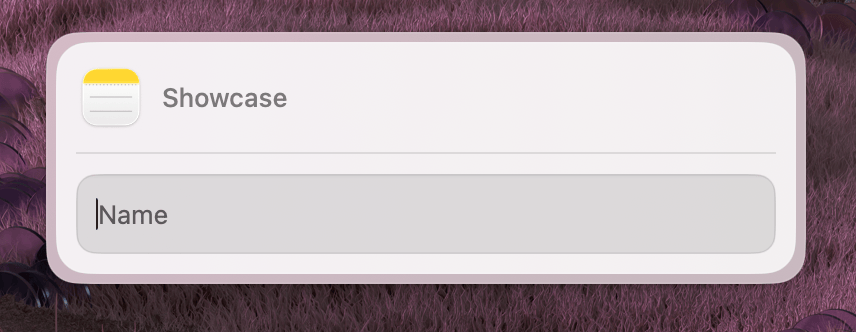
Properties
| Property | Description | Type | Default | Required |
|---|---|---|---|---|
title | The header title text | string | — | Yes |
iconBundleId | macOS bundle identifier for the app icon | string | — | Yes |
Usage
To display a header, define a CardHeader and pass it to the header prop of your Form component.
import { Form, CardHeader, Action, ActionPanel } from "@eney/api";

function MyWidget() {
  const header = (
    <CardHeader title="Image Optimizer" iconBundleId="com.apple.Preview" />
  );

  return (
    <Form
      header={header}
      actions={
        <ActionPanel>
          <Action.SubmitForm title="Run" onSubmit={() => {}} />
        </ActionPanel>
      }
    >
      {/* form fields */}
    </Form>
  );
}
The iconBundleId is a macOS application bundle identifier (e.g. com.apple.Safari, com.apple.Preview). Eney displays the corresponding app icon next to the title.