Widgets
Actions
Use actions to perform tasks within your widget, such as submitting data, opening files, or copying text to the clipboard.
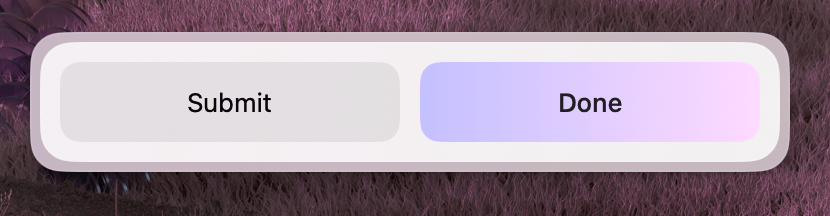
Properties
| Property | Description | Type | Default |
|---|---|---|---|
title | Button label | string | varies |
style | Button style variation | "primary" | "secondary" | "secondary" |
isLoading | Show a loading indicator | boolean | — |
isDisabled | Disable the button | boolean | — |
Action
A custom action button. Use this when the built-in action types don't cover your use case.
Properties
| Property | Description | Type | Default | Required |
|---|---|---|---|---|
title | Button label | string | — | Yes |
onAction | Callback triggered when the button is clicked | () => void | — | Yes |
style | Button style variation | "primary" | "secondary" | "secondary" | No |
isLoading | Show a loading indicator | boolean | — | No |
isDisabled | Disable the button | boolean | — | No |
Usage
import { Action, ActionPanel } from "@eney/api";

function MyWidget() {
  function handleRefresh() {
    // custom action logic
  }

  return (
    <ActionPanel>
      <Action title="Refresh" onAction={handleRefresh} />
    </ActionPanel>
  );
}
Action.SubmitForm
Triggers a form submission handler. Typically used inside an ActionPanel that is passed to a Form.
Properties
| Property | Description | Type | Default | Required |
|---|---|---|---|---|
title | Button label | string | — | Yes |
onSubmit | Callback triggered on form submit | () => void | — | Yes |
style | Button style variation | "primary" | "secondary" | "secondary" | No |
isLoading | Show a loading indicator | boolean | — | No |
isDisabled | Disable the button | boolean | — | No |
Usage
import { useState } from "react";
import { Form, Action, ActionPanel } from "@eney/api";

function MyWidget() {
  const [name, setName] = useState("");
  const [loading, setLoading] = useState(false);

  async function onSubmit() {
    setLoading(true);
    // process the form data
    setLoading(false);
  }

  return (
    <Form
      actions={
        <ActionPanel>
          <Action.SubmitForm
            title="Save"
            onSubmit={onSubmit}
            style="primary"
            isLoading={loading}
          />
        </ActionPanel>
      }
    >
      <Form.TextField
        name="name"
        label="Name"
        value={name}
        onChange={setName}
      />
    </Form>
  );
}
Action.ShowInFinder
Opens a file or folder in macOS Finder.
Properties
| Property | Description | Type | Default | Required |
|---|---|---|---|---|
path | The file path to reveal in Finder | string | — | Yes |
title | Button label | string | "Show in Finder" | No |
style | Button style variation | "primary" | "secondary" | "secondary" | No |
isDisabled | Disable the button | boolean | — | No |
Usage
Provide a direct link for the user to locate a generated file on their Mac:
import { Action, ActionPanel } from "@eney/api";

<ActionPanel>
  <Action.ShowInFinder path="/Users/me/Documents/report.pdf" />
</ActionPanel>;
Action.CopyToClipboard
Copies text content to the system clipboard.
Properties
| Property | Description | Type | Default | Required |
|---|---|---|---|---|
content | Text to be copied | string | — | Yes |
title | Button label | string | "Copy" | No |
style | Button style variation | "primary" | "secondary" | "secondary" | No |
isDisabled | Disable the button | boolean | — | No |
Usage
import { Action, ActionPanel, Paper } from "@eney/api";

function ResultView(props: { result: string }) {
  return (
    <Paper
      markdown={props.result}
      actions={
        <ActionPanel>
          <Action.CopyToClipboard content={props.result} />
        </ActionPanel>
      }
    />
  );
}